
I’ve been designing websites since 2000. Flash intros. Table layouts. Spacer GIFs. Hit counters. “Under construction” banners. I’ve even coded in HTML, CSS and a bit of PHP. But a native iOS app? Never end-to-end. I’ve always stopped at Photoshop, Sketch, and since 2018, Figma.
Over the last few months I started noticing designers who didn’t stop there.
They just built things.
The spark(s)
In February, multi-talented designer Ty Finck launched Proooof, an iPhone app that adds a strip of EXIF data next to your photos. Simple and really nice. It reminded me of my own idea. I had designed an app concept that overlays pizza recipe data on photos, the way a running app shows your route and stats. But mine only lived in Figma.
Ty mentioned in his newsletter that he used Claude Code. So I emailed him. He replied with a Loom video walking me through his process. Then work and life got busy, and the pizza app went back on the shelf.
In May I found Thru by Aaron La Lau, head of design at Strava. It turns your everyday movement into an epic virtual hike. Built with help from AI. Fun, original, personal.
In June, (former) Polarsteps designer Yannis Abelas started sharing his daylight tracker Heliophilia on Threads. Soon I was following a whole bunch of people under #buildinpublic.
In July, I got some help at work. My (seriously good) colleague Tibor den Held set me up with an agentic playground: Copilot, VS Code, Astro, GitHub and Netlify. Now I can prompt a design straight into real code, using the NS Design System.
The itch to build something real was getting hard to ignore.
The idea
I started thinking about what I actually wanted to make. So I looked at my own habits. I collect things to do from everywhere. A friend recommends a restaurant. Instagram shows me a museum or a concert venue. A YouTube video convinces me I need to do a multi-day hike. So I save it. In Google Maps. In Instagram. In Apple Notes. And in a few places I’ve already forgotten about.
Why not build one place for all of it? An app to keep the experiences I dream about, and log the ones I’ve had. Location, date, links, notes. All connected on a map and a timeline.
I called it Wonder Notes and designed a few key screens in Figma.
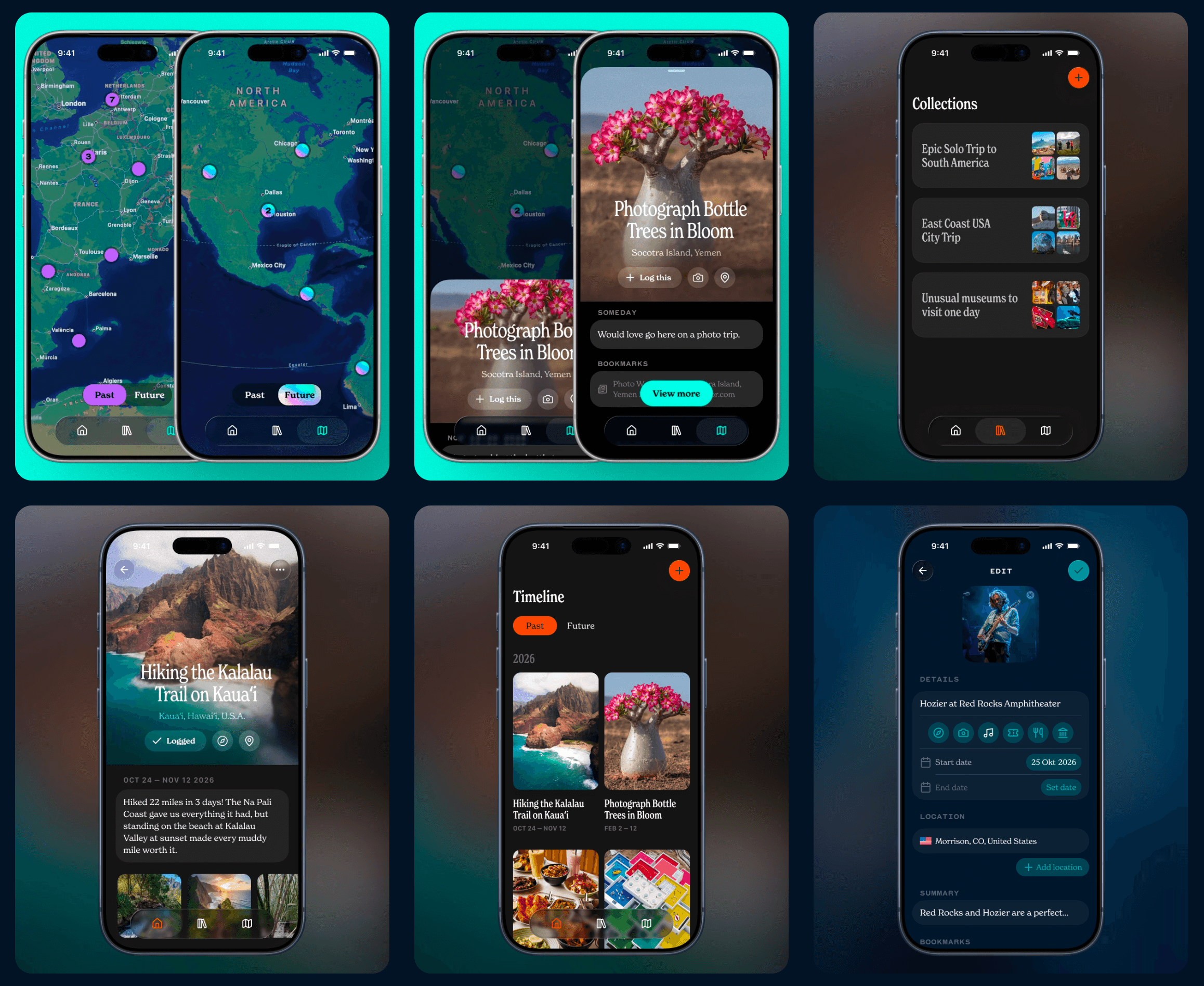
Some of the early designs I made, see more in my sketches
The rules
Next I downloaded Xcode and Wishlist, a sample project from Apple. Poking around it showed me what I wanted, and what I didn’t. So I wrote down a few rules:
Experiences first, places second.
Not another travel planning app. It’s about logging.
Private. No account, no social network.
And for the design, I wanted to follow SwiftUI patterns, but make it my own. Lucide icons instead of SF Symbols. A serif and a monospaced font. And most important: it should not look like vibe-coded AI slop.
Building it
I got a Claude Code subscription (Pro, €180 a year) and set up the agent in the Xcode 27 beta. I gave it my rules, a few screenshots, and off we went.
Watching it build so much from so little was wild. After that, it was coding. Or prompting. For features I hadn’t designed, like a haptics toggle, I’d type “/plan” and describe what I wanted. Sometimes I’d tweak the code myself. Reorder something, rename an asset. The moment I didn’t understand what I was looking at, I asked Claude.
Before I knew it, I’d added way more than planned. Image search with the Unsplash API. A layout switcher. Long-press actions. And more.
Not everything went smoothly. I ran out of tokens almost every day. Claude “fixed” things that looked worse afterwards. Xcode is huge, and I don’t need or understand most of it. Source control and commits don’t come naturally to my designer brain. But because this was a spare-time project, I could take small steps. Improve a bit. Learn a bit. Repeat.
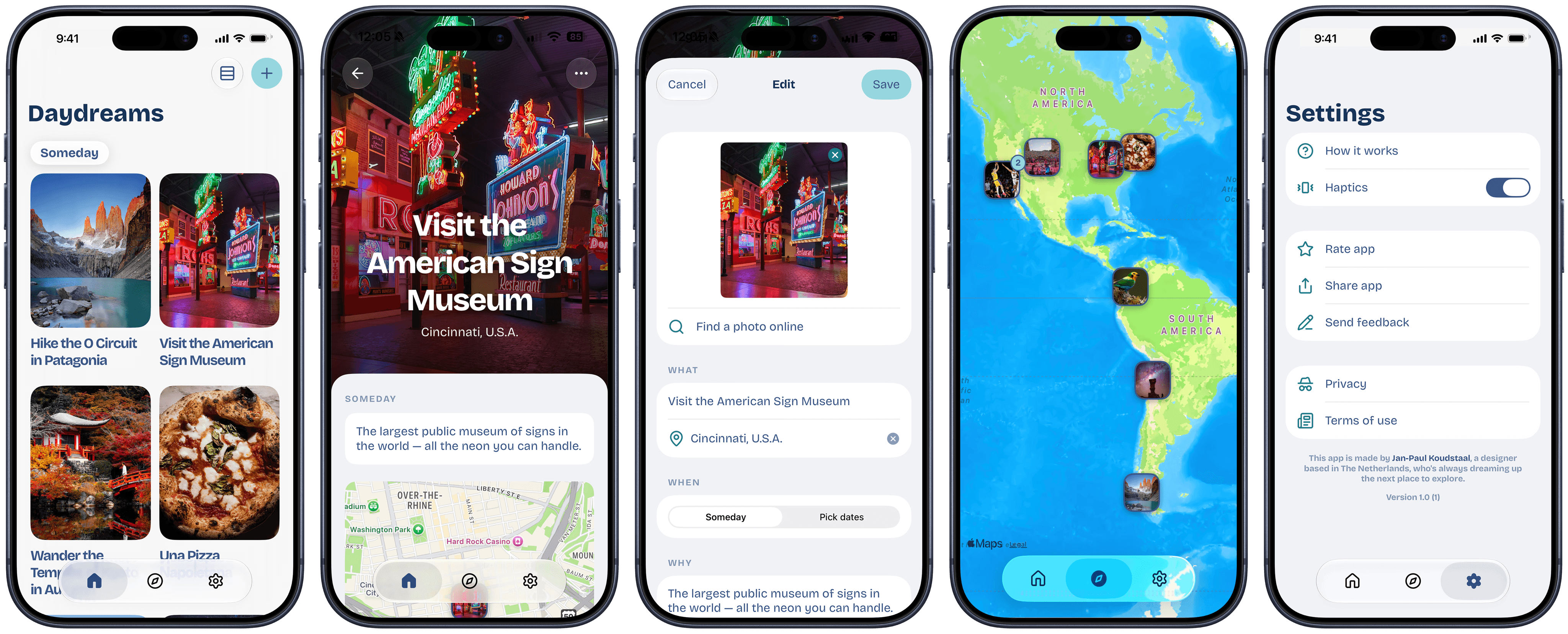
From Wonder Notes to Daydream
After a few weeks I started looking at the App Store. Marketing copy, branding, an app icon. But the name “Wonder Notes” never felt right.
Then one morning I was listening to Noah Kahan’s “Staying Still” and a line about daydreamin’ caught my ear. That was it.
Daydream. Staring at clouds. Dreaming up new things to do. The palette had to be sky blue. The type had to feel rounder and friendlier, and Bricolage Grotesque does exactly that. A small redesign in Figma, a few prompts, and I (or we?) rebranded the app.
Then it was time to subscribe to the Apple Developer Program for €99/year, the only way to get your app into the App Store.
My Figma file is a mess
I’ve spent years keeping my files tidy and my design systems tight. Every component named. Every token in place. This file very quickly turned into a sketchpad. Screens are now out of date. And half the rebrand never made it back in.
And it kinda bugs me, tbh. I don’t like a messy file. But the design doesn’t live in Figma anymore. It lives in the app. Figma is where I think and sketch. Xcode is where it becomes real. And the code is what people actually use.
So am I a developer now? Nope. I’m still a designer. But I did build a real app, in my spare time, with an AI assistant.
Daydream is now live in the App Store, for free. My first real iPhone app. Give it a try and let me know what you think.
So if you’ve got an app idea sitting in a Figma file, maybe you should try making it for real. Start small. Ask Claude for help. You’ll learn a lot along the way.
And my pizza app? Still in Figma. For now…